|
|
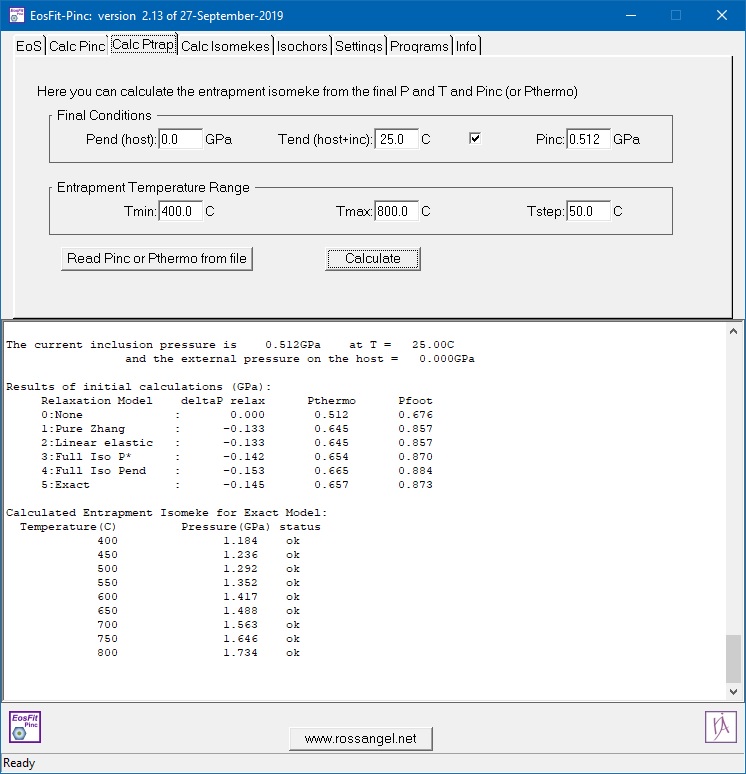
This is a GUI built on the Eos cfml library to do rapid calculations for
elastically isotropic spherical host-inclusion systems. It
duplicates some of the functions in the isomeke utility of the EosFit7c program. EosFit-Pinc can:
- Read EoS as .eos files from any other EosFit7 program.
- Import EoS from Thermocalc.
- Calculate final inclusion pressures from known entrapment P and T.
- Calculate entrapment isomekes from measured remnant inclusion pressures.
- Calculate isomekes and isochors of the two phases.
EosFit-Pinc is only available for Windows. The methods and program are described in:
Angel RJ, Mazzucchelli ML, Alvaro M, Nestola F (2017)
EosFit-Pinc: A simple GUI for host-inclusion elastic thermobarometry.
American Mineralogist, 102, 1957-1960.
Latest update: February 2026.
New features in this version:
- The algorithm for finding isomeke pressures has been changed to prevent failures when the isomekes are strongly curved,
for example for quartz in garnet approaching the alpha-beta boundary, or when the bulk moduli of the two phases are nearly equal.
This means that you may get slightly different results for these problem cases compared to the 2021 release versions
of EosFit-Pinc and EosFit7c.
- Uncertainties are calculated in both Pinc and Ptrap from the uncertainties in the parameters of the two EoS.
- Improved error messages.
For full details of changes, please consult the help system. These changes have also been included in the 2026 update of the
EntraPT software.
|